Signs Your Legacy LIMS Is Costing You More Than You Think
There is a version of this conversation that happens in labs every day. Someone raises the idea of replacing the LIMS. A manager does a quick calculation — the licence renewal is manageable, the system mostly works, a migration sounds expensive and risky. The idea gets shelved. And the lab carries on spending money it does not know it is spending.
Legacy LIMS costs are rarely visible on a single line of a budget. They accumulate across departments, workflows, headcounts, and compliance functions — quietly, consistently, year after year. By the time the full picture becomes clear, the sunk cost is already significant.
This article is not about selling a new system. It is about helping lab leaders and IT decision-makers see the full cost of staying put — so that whatever decision they make, it is based on the real numbers, not just the renewal invoice.
What This Article Covers
✔ The 8 most telling signs that a legacy LIMS is actively costing your lab money or risk
✔ A breakdown of hidden vs. visible legacy LIMS costs — and how to quantify them
✔ A framework for deciding when the cost of staying exceeds the cost of changing
✔ Frequently asked questions from lab directors and IT managers evaluating LIMS modernisation
What Do We Mean by 'Legacy LIMS'?
Legacy does not simply mean old. A LIMS can be technically current and still be legacy in every meaningful sense — if it was configured around a workflow that no longer exists, if it cannot integrate with modern instruments or platforms, or if its vendor has stopped investing in its development.
For the purposes of this article, a legacy LIMS is any system that:
- Requires manual workarounds to perform functions that should be automated
- Cannot easily integrate with current laboratory instruments, ERP systems, or data platforms
- Has validation or compliance documentation that has fallen out of sync with its actual configuration
- Is supported by a vendor who is slow to respond, has reduced their development roadmap, or is approaching end-of-life
- Has become a barrier to onboarding new staff, adopting new methodologies, or scaling operations
None of these conditions require the system to be decades old. Labs running LIMS implementations from just five or six years ago can find themselves in every one of these situations if the system was never properly maintained or has not kept pace with the lab's growth.
The 8 Signs Your Legacy LIMS Is Costing You More Than You Think
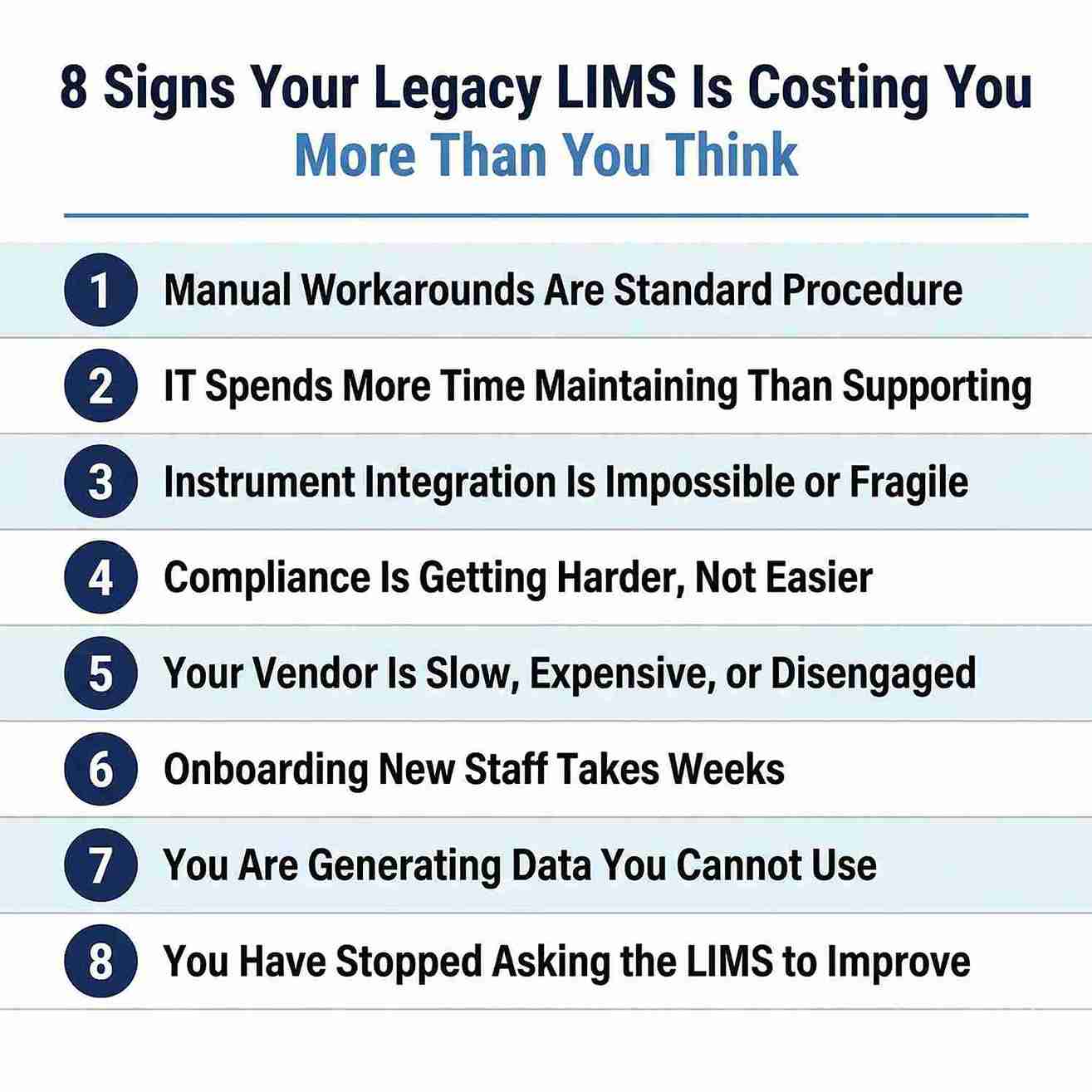
Sign 1 Manual Workarounds Have Become Standard Procedure
When a LIMS stops meeting the lab's needs, teams adapt — not by fixing the system, but by building around it. Spreadsheets appear. Email threads replace automated notifications. Analysts manually re-enter data that instruments already captured digitally. Over time, these workarounds become so embedded in daily practice that the team stops noticing them.
The cost here is not just the time spent on each workaround. It is the compounding cost of doing so across every person, every sample, every day — plus the data integrity risk that every manual re-entry step introduces. Manual data transfer is consistently cited as a leading source of laboratory transcription errors in published quality literature.
Questions to ask your team:
- What tasks do you do every day that you wish the LIMS handled automatically?
- How many spreadsheets does your team maintain that duplicate or extend LIMS data?
- How long does it take to produce a batch summary or trend report — and how much of that is manual?
Sign 2 Your IT Team Spends More Time Maintaining the LIMS Than Supporting the Lab
Legacy LIMS platforms — particularly those running on ageing server infrastructure, outdated operating systems, or unsupported database versions — require disproportionate IT effort to keep running. Patches that should be simple become multi-day projects. Upgrades get deferred because the compatibility risk is too high. Security vulnerabilities accumulate.
IT resource time is expensive and scarce. When a significant portion of it is absorbed by one ageing platform, the opportunity cost extends to every other system and initiative that does not get proper attention. This cost rarely appears in a LIMS budget line — it is buried in IT department overheads.
Red flags to watch for:
- Your LIMS runs on a Windows Server version approaching or past Microsoft's end-of-support date
- Database upgrades or OS patches require LIMS validation re-testing that gets deferred indefinitely
- You have experienced unplanned downtime in the last 12 months directly attributable to LIMS infrastructure
- Your IT team has written custom scripts or middleware just to keep the LIMS functioning
Sign 3 Integration With Modern Instruments and Systems Is Impossible or Fragile
Modern laboratories run on interconnected systems — instruments feed data to a LIMS, the LIMS feeds results to an ERP or EHR, analytics platforms pull from the LIMS for trend reporting. A legacy LIMS that cannot participate in this ecosystem forces the lab into one of two bad options: manual data bridges, or a frozen technology stack.
The first option reintroduces human error and wastes analyst time. The second prevents the lab from adopting new instruments or platforms that could meaningfully improve throughput, quality, or cost efficiency. Either way, the LIMS becomes an anchor — holding back modernisation across the entire operation.
Specific integration problems to look for:
- New instruments acquired in the last two years that are not connected to the LIMS — data is transferred manually
- Your LIMS has no REST API or the available API is so limited it requires custom middleware for every integration
- ERP or finance systems cannot pull data from the LIMS without a manual export step
- Your team uses a separate platform for data analysis because the LIMS cannot produce the reports you need
Sign 4 Meeting Compliance Requirements Is Getting Harder, Not Easier
Regulatory requirements — 21 CFR Part 11, ISO 17025, ALCOA+, GxP, and their equivalents — have not stood still. Guidance has been updated, enforcement has intensified, and the bar for what constitutes adequate audit trail coverage, electronic signature compliance, and data integrity controls has risen measurably over the past decade.
A legacy LIMS that was validated against an earlier regulatory environment may now have structural compliance gaps — not because the system was poorly implemented, but because the requirements have moved and the system has not. Attempting to retrofit modern compliance controls onto an ageing platform is expensive, technically complex, and often incomplete. The result is a lab that is never quite audit-ready and spends disproportionate effort on compliance remediation.
Warning signs specific to compliance:
- Your LIMS validation documentation has not been formally reviewed or updated in more than two years
- Audit trail coverage does not extend to all regulated records — some transactions happen outside the LIMS
- You have received observations or corrective actions related to LIMS data integrity in the last two audit cycles
- Your system requires manual steps to produce the audit trail exports an inspector would request
Sign 5 Your Vendor Is Slow, Expensive, or Has Reduced Investment in the Platform
Vendor behaviour is one of the clearest leading indicators of a LIMS approaching end-of-life. When a vendor slows its development cadence, consolidates products, or becomes progressively less responsive on support tickets, it usually reflects an internal decision that the platform is no longer a strategic priority.
For labs that depend on that platform for regulated operations, this matters enormously. A vendor who cannot or will not provide timely support for a critical system issue is a business continuity and compliance risk. The cost of an unresolved LIMS issue during an active inspection or a production batch is orders of magnitude higher than the cost of a proactive migration.
Vendor red flags that signal it is time to evaluate alternatives:
- Support tickets that were once resolved in hours now take days or weeks
- The last major feature release for your platform was more than 18 months ago
- Your vendor account manager has been replaced multiple times in the last two years
- The vendor has been acquired, merged, or significantly restructured — and your platform was not the acquirer's core product
- You have been told the platform is entering 'maintenance mode' or that a migration to a newer product is recommended
Sign 6 Onboarding New Staff Takes Weeks of System-Specific Training
A well-designed LIMS should reduce the time it takes to bring a new analyst or technician up to speed — not extend it. If your system requires multi-week LIMS-specific training before a new hire can work independently, that is a cost that compounds with every recruitment cycle.
In high-turnover laboratory environments — clinical diagnostics, contract labs, food and beverage testing — this training burden is significant. It also introduces a dependency on institutional knowledge: if the staff members who understand the system leave, that knowledge goes with them. Legacy LIMS platforms with complex, non-intuitive interfaces, heavy reliance on custom configurations, or poor documentation are particularly vulnerable to this knowledge concentration risk.
Sign 7 You Are Generating Data You Cannot Actually Use
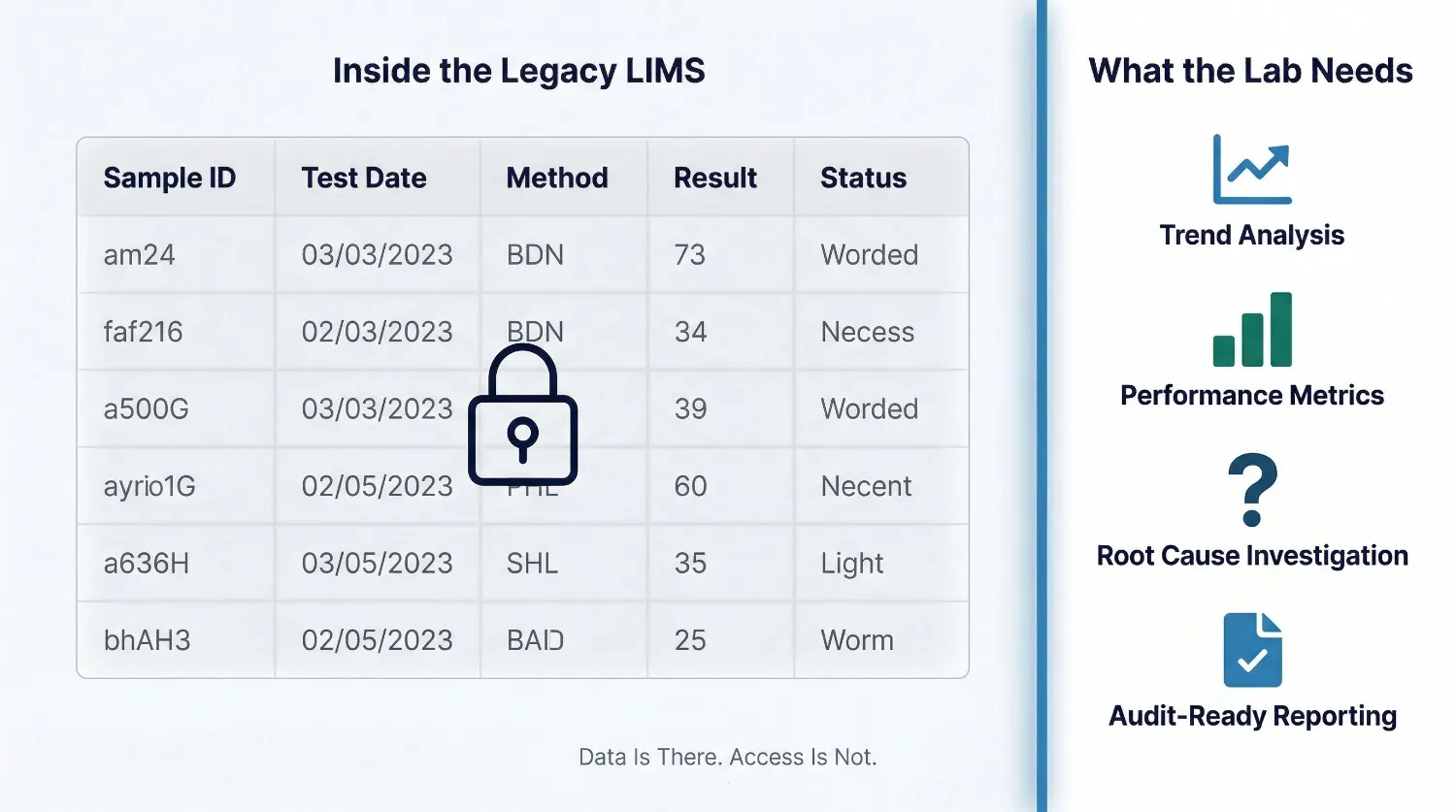
Modern laboratory operations generate enormous volumes of data — instrument readings, environmental monitoring records, reagent lot histories, analyst performance metrics, turnaround time logs. A LIMS should make this data accessible, queryable, and meaningful for quality improvement and operational decisions.
A legacy LIMS that stores data in proprietary formats, has no built-in analytics layer, and produces only the reports it was originally configured to produce is not adding value to the data it holds. The lab is paying for the data storage without receiving the intelligence it should enable. This becomes a particularly acute problem when management requests trend analysis, when a quality issue needs root cause investigation, or when the lab needs to demonstrate continuous improvement to an accreditation body.
Signs your data is trapped:
- Management requests for trend reports require a one-to-two day analyst effort to produce manually
- Your quality team exports data to Excel for every analysis task because the LIMS reporting is insufficient
- You cannot easily answer the question: 'What is our average turnaround time by test type for the last 90 days?'
- Instrument OOS investigation requires pulling data from three different places and reconciling manually
Sign 8 You Have Stopped Asking the LIMS to Do New Things
This is perhaps the most telling sign of all — and the one least likely to appear in a budget review. When a team stops requesting new features, stops attempting to extend the system's capabilities, and stops discussing what the LIMS could do better, it usually means one thing: they have given up expecting improvement.
This acceptance of limitation has a slow but real cost. Every process the LIMS could automate but does not, every integration it could support but cannot, every insight it could surface but fails to — these represent a gap between the lab's actual productivity and its potential. In fast-moving sectors, that gap is also a competitive disadvantage.
Ask your team:
- When was the last time someone submitted a request to change or improve something in the LIMS?
- Are there workflows the lab has introduced in the last two years that the LIMS plays no role in?
- Has the team developed a parallel set of tools — apps, trackers, platforms — to compensate for what the LIMS does not do?
3. The Real Cost of a Legacy LIMS: Visible vs. Hidden
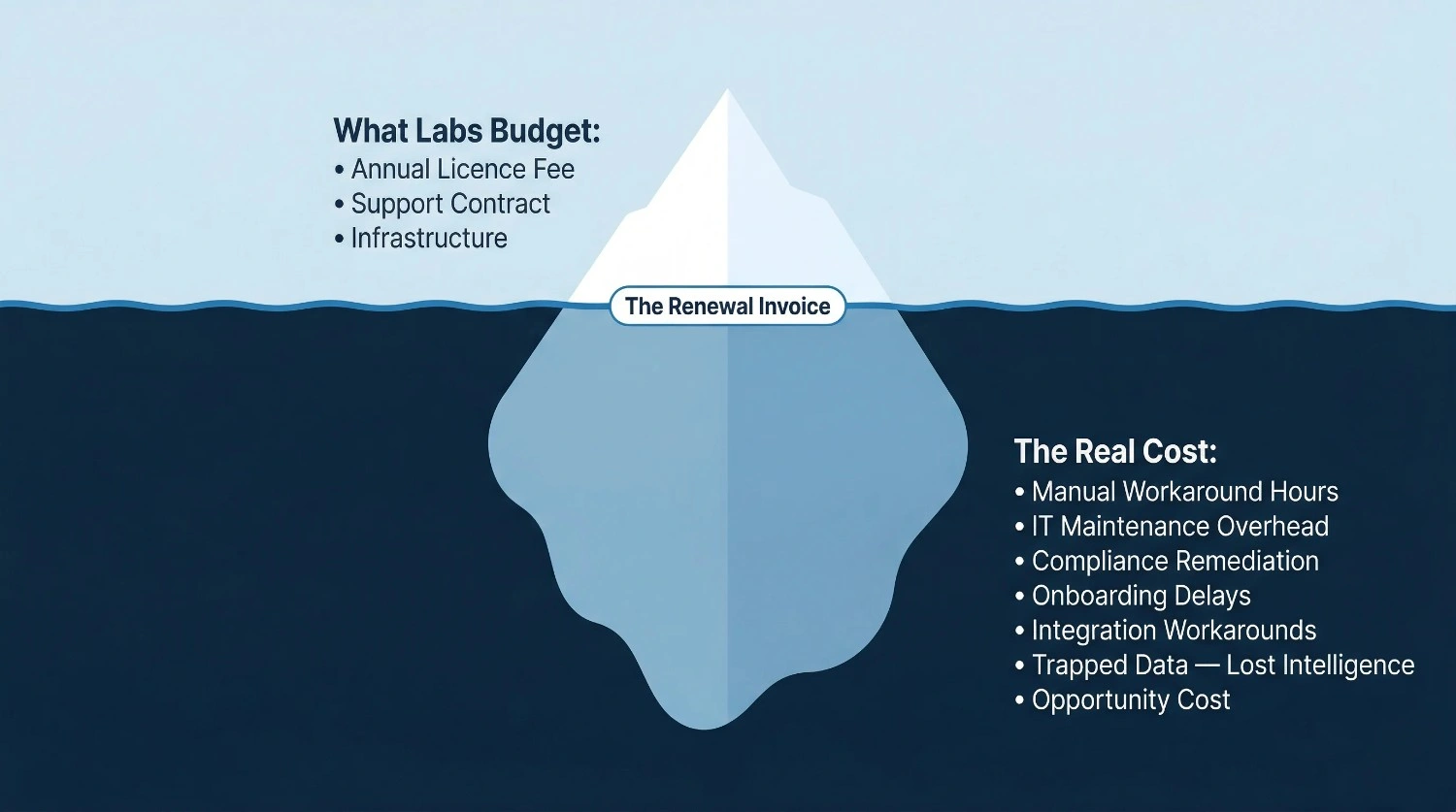
When labs calculate the cost of their current LIMS, they typically look at licence fees, support contracts, and infrastructure costs. These are real costs, but they represent only a fraction of what a legacy system actually costs the organisation.
The table below separates the costs most labs see from the costs they do not — but should be accounting for in any honest evaluation.
Hidden vs Visible Costs
| Cost Category | Hidden Cost (Rarely Budgeted) | Visible Cost (Budgeted) |
|---|---|---|
| Manual Data Entry | Analyst hours re-entering instrument data; transcription error remediation; repeat testing from data errors | Minimal direct cost visible |
| IT Maintenance | Engineer hours on patching, compatibility fixes, custom scripts; deferred upgrades accumulating technical debt | Server/infrastructure contract |
| Compliance Remediation | Internal audit prep time; CAPA effort for LIMS-related observations; re-validation after deferred changes | Validation consultant fees (if used) |
| Staff Onboarding | Weeks of system-specific training per new hire; productivity lag; knowledge concentration risk | Formal training course fees (if any) |
| Vendor Support Delays | Business downtime during unresolved incidents; workaround implementation; inspection risk during outages | Support contract annual fee |
| Lost Data Intelligence | Management time producing manual reports; delayed quality decisions; missed trend identification | Reporting add-on (if purchased) |
| Integration Workarounds | Manual export/import cycles; duplicate data entry across systems; error reconciliation | Middleware or connector costs (if any) |
| Opportunity Cost | New instruments not connected; new workflows not supported; competitive capability gap widening | Not measured |
4. How to Know When the Cost of Staying Exceeds the Cost of Changing
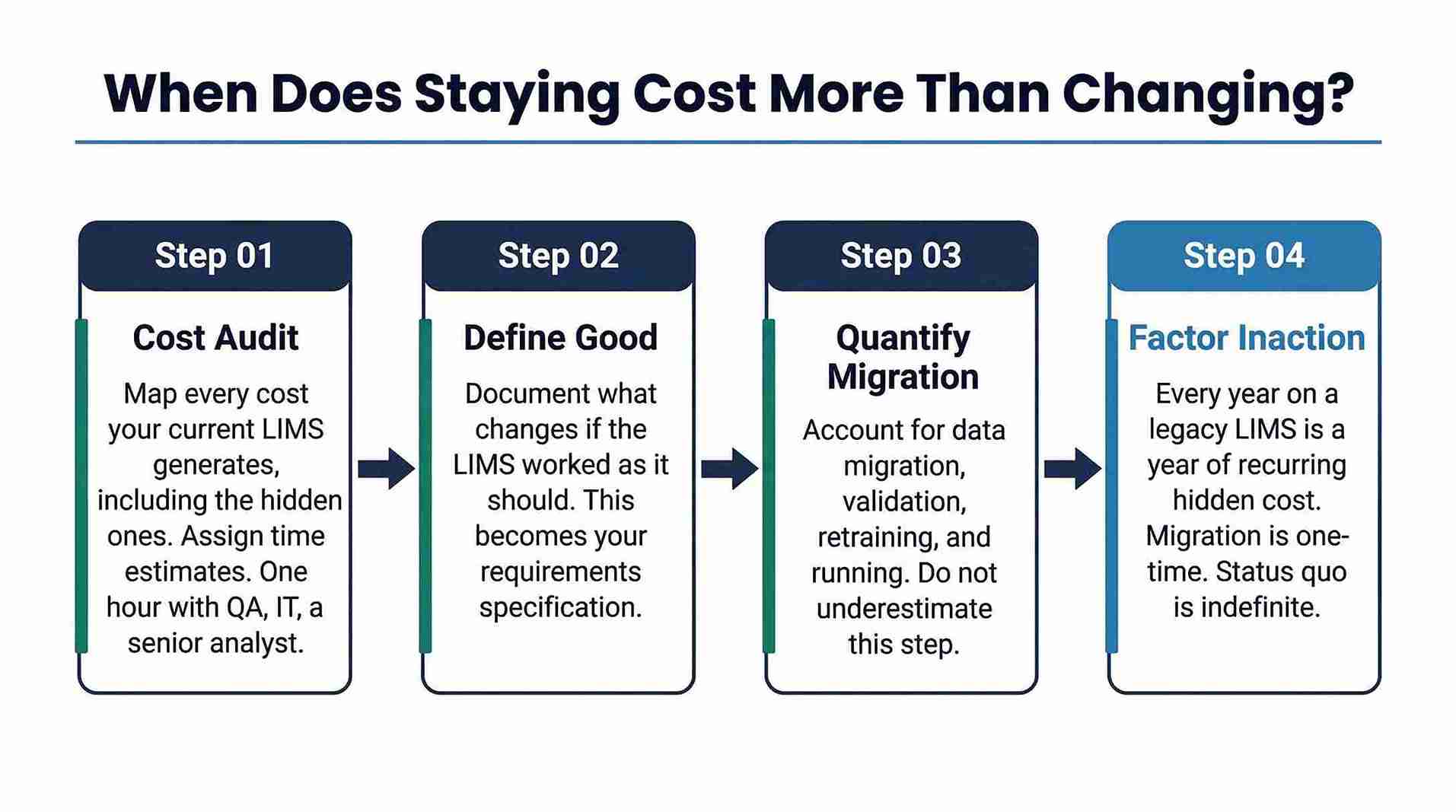
There is no universal threshold at which a LIMS migration becomes the right decision. Every lab's context is different — regulatory environment, team size, growth trajectory, vendor relationship, and existing data architecture all affect the calculation. What follows is a framework for thinking through that decision, not a formula that produces a definitive answer.
Start With a Honest Cost Audit
Before any conversation about replacement, map every cost your current LIMS generates — including the hidden ones in the table above. Assign even rough time estimates to each category. A one-hour exercise with your QA lead, IT manager, and a senior analyst will typically surface costs that have never appeared in a budget review.
Define What 'Good' Looks Like for Your Lab
What would change in the lab's operations if the LIMS worked the way it should? What manual processes would disappear? What compliance controls would be automated? What integrations would be unlocked? Documenting this is not just useful for building a business case — it is the foundation of a requirements specification for any replacement evaluation.
Quantify the Migration, Not Just the Destination Cost
Migration is real work. Data migration, validation, retraining, and parallel running all have costs and risks that must be honestly accounted for. A migration that is well-scoped and properly resourced is substantially less risky than one that is rushed or under-funded. Any vendor who downplays migration complexity in a sales conversation is a vendor worth being cautious about.
Factor in the Cost of Not Acting
This is the one most often omitted from the analysis. Every year spent on a legacy LIMS is a year of accumulated hidden costs, deferred compliance risk, and widening competitive or capability gap. The migration cost is a one-time investment. The status quo cost recurs indefinitely.
A Useful Framing Question
If your lab were starting from scratch today — with your current team, your current workflow, your current regulatory obligations — would you choose your current LIMS? If the honest answer is no, the relevant question is not “should we change?” but “when, and how?”
5. Frequently Asked Questions
Our LIMS is five years old. Does that automatically make it legacy?
Not automatically. Five years is not old for a well-maintained LIMS that has been kept current, properly validated, and actively developed by its vendor. Age alone is not the defining factor. What matters is whether the system still meets the lab's operational and compliance needs, and whether the vendor is actively investing in its future. A five-year-old system that cannot integrate with modern instruments and whose vendor has halved its development team is more meaningfully 'legacy' than a ten-year-old system that is current, integrated, and supported.
We have invested heavily in customising our current LIMS. Does that make migration more difficult?
It does add complexity — but it also provides a clear blueprint for requirements. Every customisation your team built was a response to a gap in the base product. A migration is an opportunity to evaluate whether those gaps still exist in modern alternatives. In many cases, functionality that required custom development in legacy systems is now available as standard configuration in current platforms, which actually reduces long-term complexity rather than increasing it.
How long does a typical LIMS migration take for a mid-size laboratory?
A realistic timeline for a mid-size regulated laboratory — 20 to 100 users, multiple instruments, a single site — is typically between six and twelve months from project kick-off to go-live. This includes requirements gathering, system configuration, data migration, validation, training, and parallel running. Attempting to compress this significantly increases risk. Programmes that are given adequate time for validation and training consistently report higher user adoption and fewer post-go-live issues.
Can we phase the migration rather than doing it all at once?
Yes, and for many labs this is the lower-risk approach. A phased migration — moving one department, one workflow, or one site at a time — allows the team to build confidence in the new system while the legacy platform remains operational for unaffected functions. It also allows validation work to be distributed over time rather than concentrated into a single intensive period. The trade-off is a longer overall programme duration and the additional effort of running two systems in parallel.
What questions should we ask a LIMS vendor during an evaluation?
Beyond standard product demonstrations, the questions that tend to differentiate vendors are: How many of our current instruments are already on your validated interface list? What is your average response time on P1 support tickets, and can you provide references from customers who have tested this? What does your validation documentation package include, and who is responsible for re-validation after an upgrade? What is your product roadmap for the next 18 months, and how are customer requests incorporated? Can we speak with a reference customer in our specific industry and regulatory context?
Final Thoughts
The most expensive LIMS decision a lab can make is usually not the one that appears on the procurement order. It is the decision — often made by default rather than by design — to continue operating a system that has stopped serving the lab well.
The eight signs in this article are not a checklist to score and act on immediately. They are questions to ask honestly, with the people who work in the LIMS every day. If several of them resonate, the conversation about modernisation is worth having — with full visibility of what the status quo is actually costing, not just what it appears to cost on renewal day.
Continue Reading
How to Prepare Your LIMS for an FDA Audit: A Practical Checklist
21 CFR Part 11 Compliance in 2026: What Modern Labs Are Still Getting Wrong




 (1) (1).webp)

.webp)